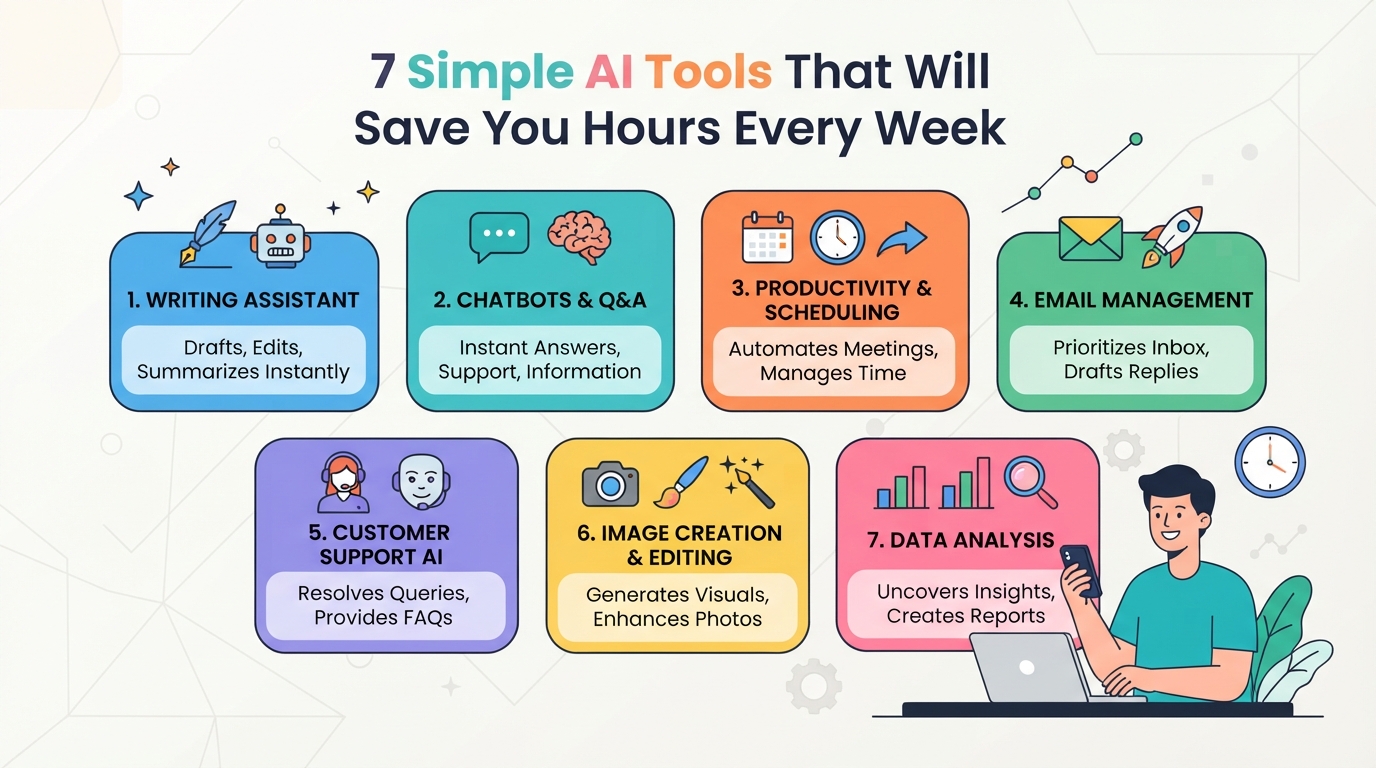
7 Simple AI Tools That Will Save You Hours Every Week
Introduction: Regain Your Time with Smart AI Tools
We’ve all been there: you start your workday with the best intentions, only to get buried under a mountain of digital clutter. Between endless email threads, constant Slack pings, and tedious data entry, the modern workspace has become a minefield of administrative overhead.
In fact, most professionals spend more time managing work than actually doing it.
Fortunately, you don’t have to drown in busywork. By integrating the best AI tools for productivity into your daily routine, you can automate the mundane and reclaim your focus.
Here is what you stand to win back when you let smart algorithms handle the heavy lifting:
- Email Management: Draft replies and sort inbox clutter instantly.
- Meeting Notes: Generate perfect summaries without typing a word.
- Task Scheduling: Automate calendar coordination in seconds.
By offloading these repetitive chores, you will easily save hours every week to focus on what actually moves the needle. Let’s dive into the seven game-changing tools you need today.

1. ChatGPT Plus: The Ultimate Brainstorming Partner
If you are looking to build a powerhouse digital workflow, ChatGPT Plus is the undisputed cornerstone. While many AI productivity tools focus on niche tasks, this foundational assistant acts as a Swiss Army knife for your brain. It excels at turning raw thoughts into polished strategies in seconds.
Instead of staring at a blank page, you can use it to instantly bypass creative blocks. Here is how it supercharges your daily output:
- Rapid Text Synthesis: Paste in messy research or long articles and get a clean, structured summary in seconds.
- Effortless Drafting: Outline articles, write client pitches, or generate social copy in any tone you choose.
- Complex Problem-Solving: Bounce ideas off the AI, debug code, or map out business strategies step-by-step.
By upgrading to the Plus tier, you gain access to advanced reasoning models that think conceptually. It is like having a brilliant, tireless chief of staff available 24/7.
2. Microsoft Copilot: Seamless Workspace Integration
If you already spend your workday inside Word, Excel, and Outlook, Microsoft Copilot is a total game-changer. Instead of constantly bouncing between different browser tabs, this assistant lives directly inside your existing Microsoft 365 workspace. It is easily one of the best AI tools for productivity because it works exactly where you already do.
Here is how it automates your heaviest daily workloads:
- Word: Transform a brief bulleted list into a fully formatted, professional proposal in seconds.
- Excel: Analyze complex data trends, generate formulas, and build visual charts using simple, conversational prompts.
- Outlook: Draft context-aware email replies and summarize long, chaotic email threads so you can clear your inbox in minutes.
By deeply embedding itself into your daily routine, Microsoft Copilot removes the friction of copy-pasting between apps. It turns your existing suite of office tools into a self-running administrative engine.
3. Otter.ai: Automatic Meeting Notes and Action Items
While Microsoft Copilot handles your documents, Otter.ai is here to conquer your calendar. We all dread the post-meeting chore of organizing messy scribbles into coherent follow-ups.
This powerful tool uses its proprietary speech-to-text engine to transcribe Zoom, Teams, or Google Meet calls in real-time with incredible accuracy. It does not just write down what you say; it understands the context of the conversation.
Here is how it keeps your team aligned without the manual effort:
- Instant Action Items: It automatically detects and assigns tasks to specific team members based on verbal commitments made during the call.
- Smart Summaries: Generates a concise, hyper-focused overview of the meeting, complete with searchable visual slide captures.
- OtterPilot: Sends an AI assistant to join, record, and summarize meetings on your behalf if you are double-booked.
By letting this smart assistant capture the details, you will easily save hours every week on follow-ups and administrative busywork.
4. Motion: Smart Autonomous Scheduling
Once your meetings are sorted, how do you actually find time to do the work? That is where Motion comes in, acting as a personal chief of staff for your daily calendar. Instead of you manually planning your day, this tool uses a powerful AI algorithm to build your schedule for you.
You simply feed it your tasks, deadlines, and working hours. From there, Motion handles the rest through intelligent task automation:
- Dynamic Rebuilding: If a meeting runs late or a new priority pops up, Motion instantly reshuffles your entire day.
- Automatic Prioritization: It calculates what needs to happen first to hit deadlines without causing burnout.
- Merged Calendars: It combines your work and personal schedules to prevent double-booking.
By taking the guesswork out of time management, you can stop planning your day and actually start crushing it.
5. Grammarly: Context-Aware Communication
Once your schedule is optimized, the next major time-sink is staring at a blank email draft. That is where Grammarly steps in, transforming from a basic spell-checker into one of the most powerful AI productivity tools in your arsenal.
With its generative AI assistant, you can draft, edit, and polish your communication in seconds:
- Instant Drafting: Type a quick prompt (like “politely decline this meeting request”) and get a professional draft instantly.
- Real-Time Tone Adjustment: Shift your writing from casual to persuasive, confident, or empathetic with a single click.
- One-Click Rewriting: Automatically simplify complex sentences to make your emails and documents punchy and clear.
Instead of agonizing over the perfect phrasing, you get flawless communication that saves you hours of editing time every week. It is like having a professional editor on standby, ensuring your message always lands exactly as intended.
6. Notion AI: Centralized Team Knowledge Management
While polished writing keeps your communication clean, managing the actual knowledge inside your team is a whole different beast. That is where Notion AI steps in, cementing its place as one of the best AI tools for productivity in collaborative workspaces.
Instead of losing hours organizing chaotic brainstorms, you can let the AI do the heavy lifting directly inside your shared docs:
- Instant Meeting Synthesis: Turn messy, transcript-heavy notes into clean, structured summaries in one click.
- Automated Action Items: Instantly extract clear next steps and assign tasks to team members without manual scanning.
- Centralized Q&A: Ask questions directly to your workspace (like “What is our Q3 launch strategy?”) and get instant answers sourced from your team’s wiki.
It transforms your static database into a living, breathing knowledge hub, saving your team from endless searching and alignment meetings.
7. Zapier Central: Natural Language Workflows
While Notion AI keeps your internal workspace organized, what happens when you need your favorite apps to actually talk to each other? Enter Zapier Central, an absolute game-changer for cross-app task automation.
Instead of building complex, multi-step integration pipelines, you can now create custom AI bots using simple, everyday English. You just describe what you want to happen, and the AI handles the API connections behind the scenes.
Here is how it simplifies your workflow:
- Talk to Your Apps: Type instructions like, “When a new lead fills out my Typeform, draft a personalized email in Gmail and ping me on Slack.”
- No-Code API Connections: Zapier Central instantly connects to over 6,000 apps without you ever looking at a line of code.
- Active AI Assistants: These bots don’t just wait for triggers; they continuously monitor your live data and execute tasks on your behalf.
It is like having a tireless virtual assistant that instantly understands your business logic and keeps your entire tech stack perfectly in sync.

How to Integrate These Tools Into Your Daily Workflow
Adopting the best AI tools for productivity shouldn’t mean cluttering your screen with twenty different browser tabs. To prevent software bloat, focus on a lean, highly intentional integration strategy.
Here is how to build a high-efficiency stack without the overwhelm:
- Audit Your Bottlenecks: Track your time for three days. Identify the repetitive, low-value tasks draining your energy and target those specific areas first.
- Stack, Don’t Scatter: Choose tools that play nice together. Pair your AI writing assistant with a task automation tool so your drafted content automatically syncs to your project board.
- The One-In, One-Out Rule: For every new AI tool you adopt, retire an old, manual process or legacy software to keep your workflow clean.
Start small by automating just one daily friction point this week. Once that feels like second nature, stack your next tool to compound your weekly time savings.

Conclusion: Choosing the Right Productivity Stack
Embracing AI productivity tools isn’t about replacing your unique human creativity; it’s about reclaiming your most valuable asset: time. By delegating repetitive scheduling, drafting, and admin tasks to these smart assistants, you can easily save hours every week and eliminate mental fatigue.
To build lasting momentum without feeling overwhelmed, focus on a simple two-step launchpad:
1. Select your gateway tool: Pick just one or two applications from this list that target your single biggest daily bottleneck.
2. Run a seven-day trial: Commit to using these tools daily for one week to build comfort and let the automation become second nature.
The secret to compounding your efficiency is consistent momentum, not overnight perfection. Choose your first tool today, integrate it into your morning routine, and watch your free hours multiply week after week.