
GitHub Copilot vs Cursor vs Claude: Best AI Coding Assistant for Developers
Introduction: The Rise of AI-Powered Software Development
Remember when AI coding just meant fancy autocomplete? Those days are gone. Today, the search for the best AI coding assistant has shifted from simple line-completion to finding an active AI pair programmer capable of deep codebase reasoning.
We have transitioned from basic syntax suggestions to tools that can refactor legacy code, debug complex errors, and understand your entire repository in seconds.
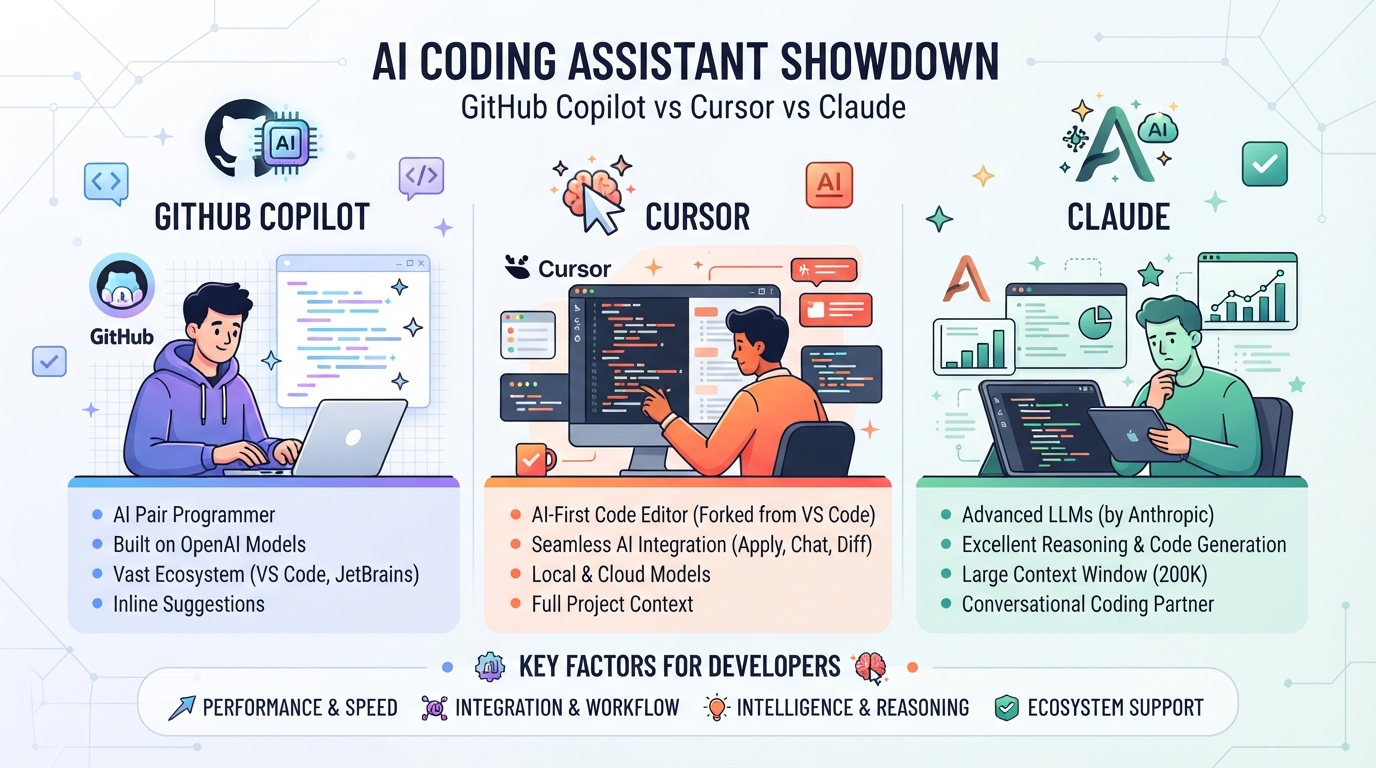
To help you choose the right tool for your workflow, we are breaking down the three dominant contenders in the market:
- GitHub Copilot: The industry pioneer that brought AI directly into mainstream IDEs.
- Cursor: The next-gen editor built from the ground up to integrate AI natively.
- Claude: Anthropic’s powerhouse model, widely praised for its superior logical reasoning and coding capabilities.
Let’s find out which tool actually deserves a permanent spot in your development stack.
GitHub Copilot: The Seamless, Safe, and Fast Standard
As the pioneer of AI-assisted development, GitHub Copilot remains the gold standard for speed and reliability. It doesn’t try to reinvent your editor; instead, it blends invisibly into your existing workflow to supercharge your daily coding.
Its biggest strength is its lightning-fast inline autocomplete. Operating with ultra-low latency, Copilot predicts your next line of code before your fingers even leave the keys, keeping you firmly in the flow state.
Here is why Copilot remains the default choice for millions of developers:
- Unmatched IDE Compatibility: Unlike tools that force you into a specific ecosystem, Copilot integrates seamlessly with VS Code, Neovim, and the entire JetBrains suite.
- Enterprise Security: Built for scale, it offers robust enterprise security compliance, ensuring your proprietary code is never used to train public models.
- IP Indemnification: GitHub protects enterprise customers against copyright claims, giving legal peace of mind that newer startups simply cannot match.
Cursor: The AI-First Editor Built for Complex Workflows
While Copilot acts as an assistant inside your existing IDE, Cursor takes a fundamentally different approach by reimagining the editor itself. Built as a dedicated, AI-first fork of VS Code, it looks and feels like the editor you already know, but with deeply integrated cognitive powers. Instead of just suggesting the next line of code, Cursor understands your entire repository.
The crown jewel of this tool is Cursor Composer, a game-changing feature designed for complex, multi-file refactoring.
Here is how Cursor shifts your workflow from writing code to orchestrating it:
- Project-Wide Context: Cursor automatically indexes your codebase locally, allowing you to reference files, folders, or documentation with simple
@commands. - Multi-File Edits: Using Cursor Composer, you can instruct the AI to build features that span multiple files simultaneously—like updating an API endpoint and its frontend callers in one go.
- Zero-Friction Migration: Import all your VS Code extensions, themes, and keybindings instantly with a single click.

Claude 3.5 Sonnet: The Supreme Logic Engine for Code
While Cursor provides the ultimate interface, Claude 3.5 Sonnet is the raw, intellectual powerhouse driving today’s AI coding revolution. It doesn’t just autocomplete; it understands the “why” behind your architecture.
For complex codebase reasoning, Sonnet outperforms its rivals by analyzing entire system designs rather than just isolated snippets. Here is why it has become the gold standard for Claude 3.5 Sonnet coding:
- Massive 200k Context Window: Feed it entire libraries, API documentation, or legacy files, and it digests them instantly without losing track.
- Superior Logic & Refactoring: It excels at identifying edge cases, debugging race conditions, and translating legacy code into clean, modern syntax.
- Human-Like Comprehension: It grasps developer intent perfectly, meaning you spend less time “prompt engineering” and more time shipping.
Whether you access it via its web interface (using Artifacts) or as the API backbone for Cursor, Sonnet is the supreme logic engine for modern developers.
Feature Showdown: Copilot vs. Cursor vs. Claude
When weighing GitHub Copilot vs Cursor or Claude, the right choice comes down to your daily workflow bottlenecks. Here is how they stack up across the five most critical developer decision factors:
- Latency: Copilot is the undisputed speed king for real-time, inline ghost text. Cursor is highly responsive, while Claude’s web interface has slight conversational lag.
- Context Window Size: Claude leads with a massive 200k token limit. Cursor utilizes smart codebase indexing to maximize its active context window size, while Copilot focuses on smaller, immediate file buffers.
- Price: Copilot is the budget-friendly option at $10/month. Cursor and Claude Pro both sit at $20/month.
- Security Compliance: Copilot offers robust enterprise IP indemnity. Cursor features a secure “Local Mode,” while Claude boasts strict SOC 2 Type II security compliance and zero data retention options.
- Integrations: Copilot lives in almost any IDE. Cursor is a dedicated VS Code fork, and Claude is accessed via browser, API, or desktop app.
Verdict: Which AI Coding Assistant Should You Choose?
Choosing the best AI coding assistant isn’t about finding a one-size-fits-all winner—it’s about matching the tool to your specific daily workflow.
Here is how to decide which of these AI coding tools for developers deserves a spot in your stack:
- Stick with GitHub Copilot if: You work in an enterprise environment with strict corporate guardrails, or you are deeply wedded to JetBrains IDEs. It remains the most frictionless, set-it-and-forget-it auto-complete tool for standard, day-to-day coding.
- Switch to Cursor paired with Claude if: You are a startup founder, freelancer, or individual developer tackling complex refactoring and rapid prototyping. This powerhouse combo excels at understanding entire codebases, explaining complex logic, and executing multi-file edits.
Ultimately, Copilot is your reliable inline helper for speed. However, if you want a collaborative engineering partner to solve your hardest architectural challenges, the Cursor and Claude combination is unmatched.